👋 Hey there, I’m Lenny. Each week, I answer reader questions about building product, driving growth, and accelerating your career. For more: Lenny’s Podcast | Lennybot | How I AI | My favorite AI/PM courses, public speaking course, and interview prep copilot
P.S. Get a full free year of Google AI, Cursor, Lovable, Notion, Manus, Replit, Gamma, n8n, Canva, ElevenLabs, Factory, Wispr Flow, Fin, Supabase, Bolt, Linear, PostHog, Framer, Railway, Granola, Warp, Gumloop, Magic Patterns, Mobbin, Stripe Atlas, and ChatPRD, by becoming an Insider subscriber. Yes, this is for real.
For years, the PM job drifted toward coordinating and aligning people. That version of the role is fading. Today, the best PMs at the best companies are prototyping with real code, querying data conversationally with MCP, confidently running coding AI agents, and finding countless ways to increase their leverage with AI.
To help you navigate this shift, I’m excited to announce that I’ve co-developed a course with my frequent collaborator and new Head of Education, Colin Matthews. It’s called Become an AI-Native Builder, and Colin will teach you how to best use the latest AI tools—including Codex, Claude Code, Cursor, and many of the Product Pass products—in your day-to-day work as a PM. You’ll use skills and MCPs to support discovery, create prototypes using your real codebase, ship changes to production using GitHub, and set up evals to automate and improve the quality of your work. This is the course I’ve always wished existed. And it’s not just for PMs. It’s great for designers, ops, researchers, sales, and basically anyone who’s non-technical and wants to get their hands dirty.
The first cohort kicks off on July 13th. If you’re a Lenny’s Newsletter annual subscriber you’ll get $600 off (and Insiders get $1,000 off). Grab your discount code here and sign up today.
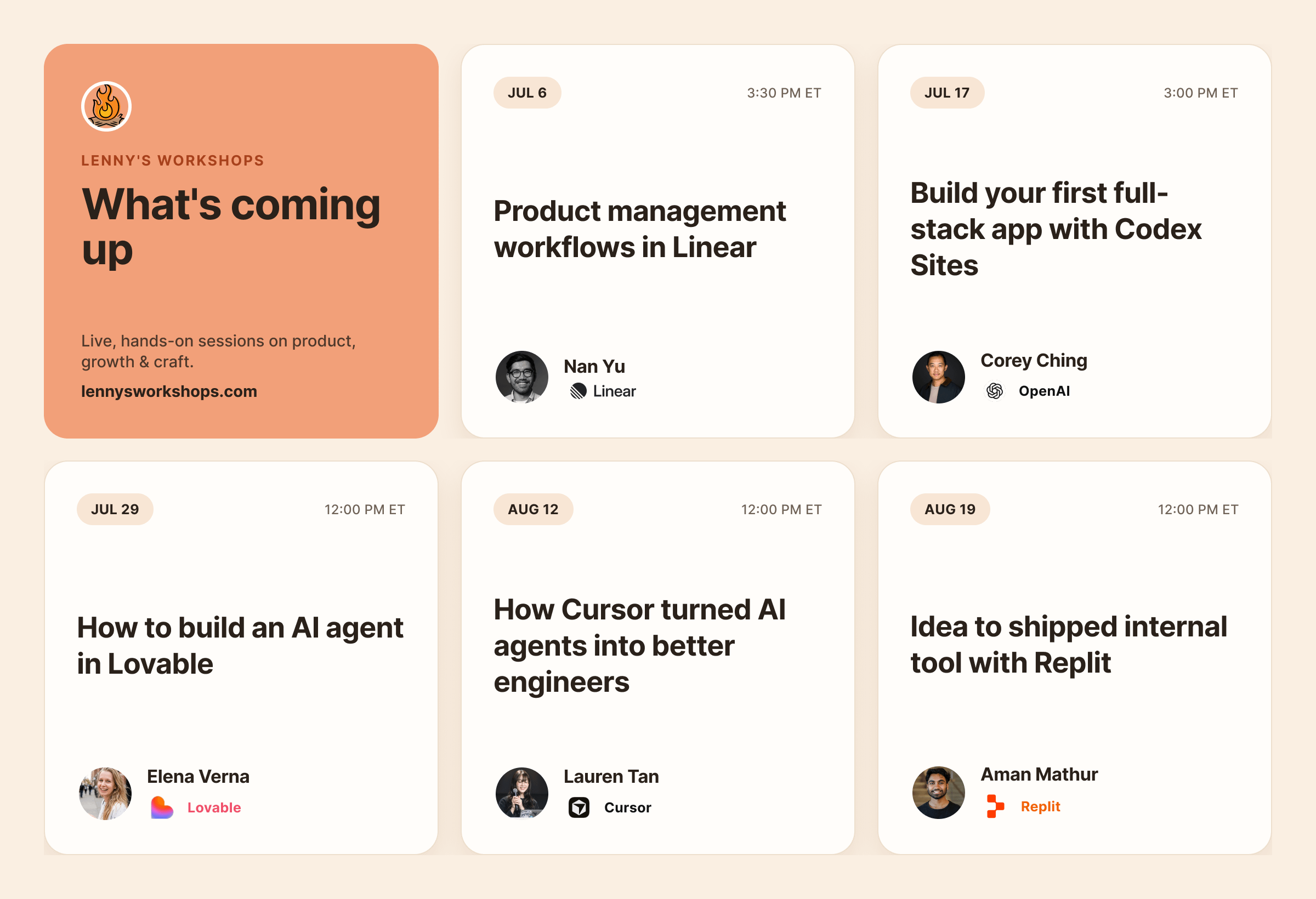
In addition to this course, Colin is hosting a handful of free workshops with leaders from OpenAI, Cursor, Linear, Replit, and Lovable. These will be live and hands-on, and you’ll learn and practice new skills alongside other people in the trenches. These workshops are exclusive to paid Lenny’s Newsletter subscribers, and you can sign up for them here.
Colin is one of the most talented instructors of AI that I’ve come across. We’ve done four guest posts together (one is my third-most-popular post of all time) and, like me, he’s low on hype and high on pragmatic advice. He’s taught AI and other technical skills to tens of thousands of PMs at leading companies like OpenAI, Google, Stripe, Figma, Microsoft, and more. He’s a longtime product leader, a founder, and has shipped more than 10 SaaS products solo.
To mark the launch of this course, Colin wrote a guest post that will help you understand what’s possible with AI right now and where you stand on the “ladders of leverage.”
Let’s get into it.

I’ve trained over 30,000 PMs on how to integrate AI into their workflows. Early this year, I noticed a shift. Whereas before I heard from executives that they expected teams to be using AI for just basic prototyping and general productivity, now they’re increasingly looking for their employees to use AI to complete entire tasks. After building bespoke training programs to level up product and design ICs across industries like healthcare, legal, and streaming, I saw two main gaps: knowing what level of AI to reach for and having the technical skills to leverage AI tools to their fullest.
I wanted to share a forward-looking framework on how the most AI-native PMs are operating in mid-2026, and how you can create much more leverage for yourself with AI.
Think of this framework as three ladders, each for a different type of leverage that AI can give you.
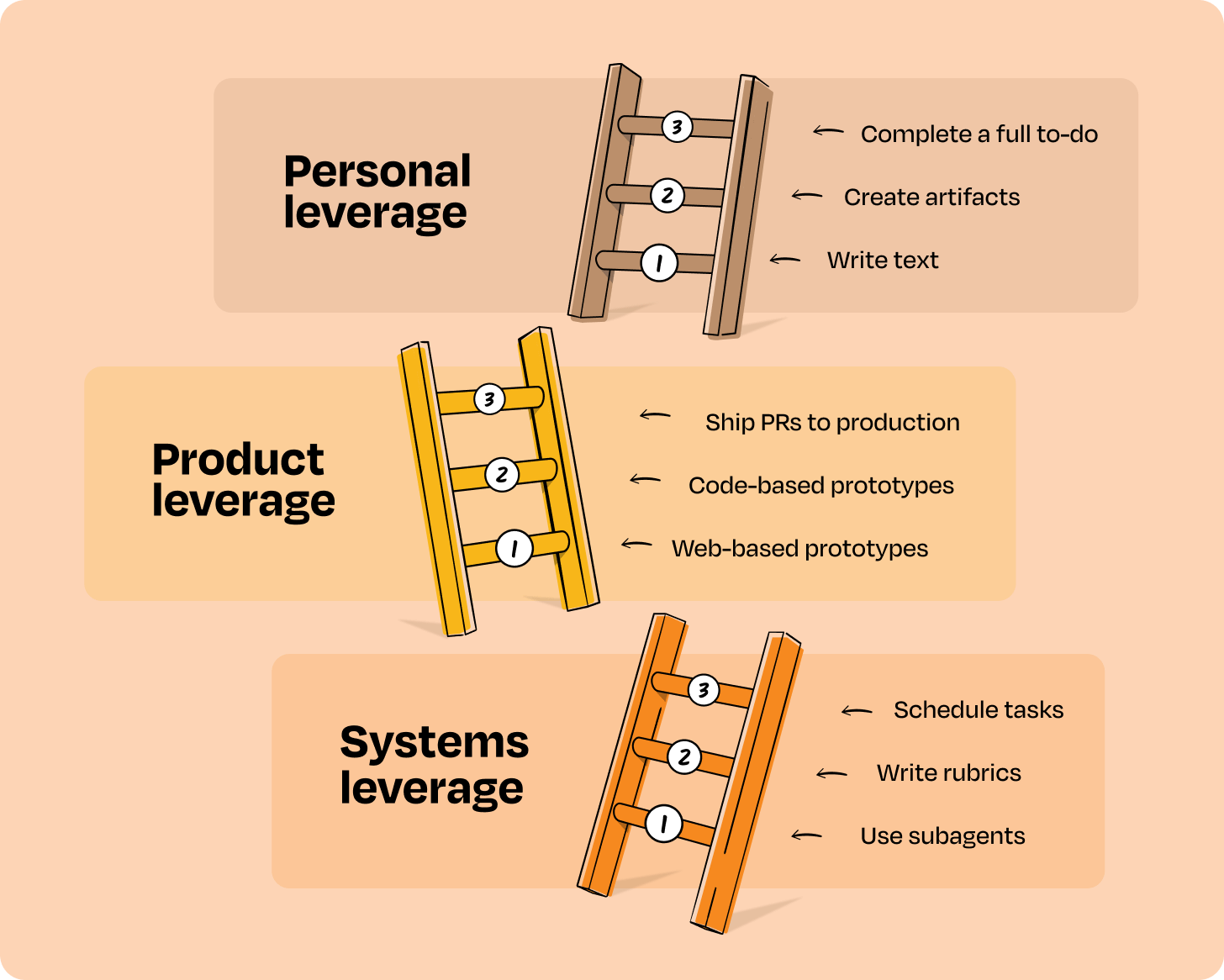
Personal leverage helps you check items off your own to-do list at work. Product leverage accelerates your ability to ship the right things more quickly. And systems leverage helps build repeatable steps to consistently outsource work to AI and get high-quality results.
As you ascend each ladder rung, you get an order of magnitude more leverage. On the first rung, you use AI for assistance in your own work. On the second rung, you pass tasks to AI and review the output. At the top of the ladder, AI completes multi-step tasks and checks its own results. You will always apply some level of review at the end, but increasing leverage frees you up for other work.
Not every task, workflow, or company demands that you move up to the highest rung to get the most out of AI. The right rung on each ladder is about the best use of AI for the work in front of you.
I’ll walk through all three ladders, with examples you can start using today. Let’s get into it.
The personal leverage ladder
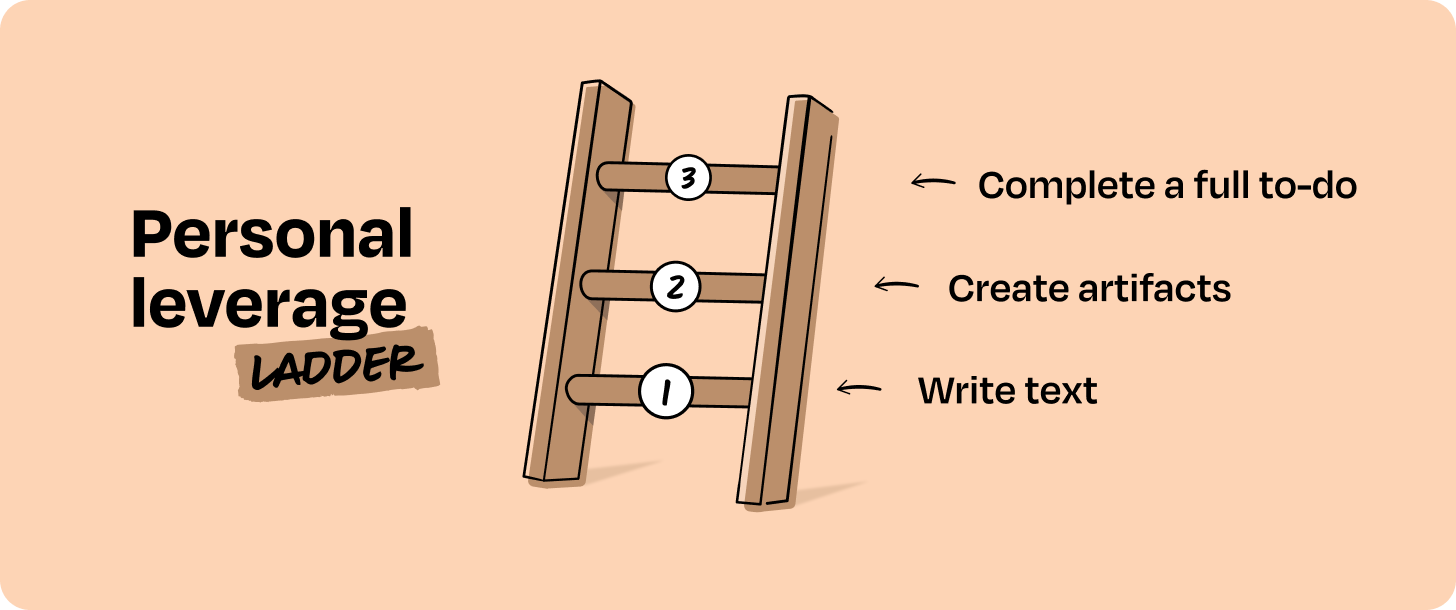
This is the most common way we all use AI at work: drafting docs, researching, or creating small artifacts. Most PMs are already pretty capable here, but it’s worth detailing the rungs so that you can see where you’re at and where you might go.
Rung 1: You use AI to write text. You’re using AI to help you with PRDs, Jira tickets, emails, etc. You then copy and paste answers into other tools. Most people are at this rung, or even lower. Don’t feel bad if you’re hanging out here. There’s so much opportunity!
Rung 2: You use AI to create artifacts. Think slides, basic Excel models, or small prototypes. Instead of generating text for you to copy, AI generates the actual artifact.
Rung 3: You get AI to complete a full to-do item for you. You’ve connected your LLM to external products like Amplitude, Google Drive, Notion, and Canva so it can pull and push information as needed. You run a prompt or skill to complete a task you might have handed off to a colleague before, like reading through customer support tickets or analyzing A/B test results.
Let’s walk through an example of each rung to illustrate baseline expectations.
At the beginning, you’re simply talking to the AI. For example, if I wanted to create a PRD, I might ask Claude to help me write it with a prompt like this:
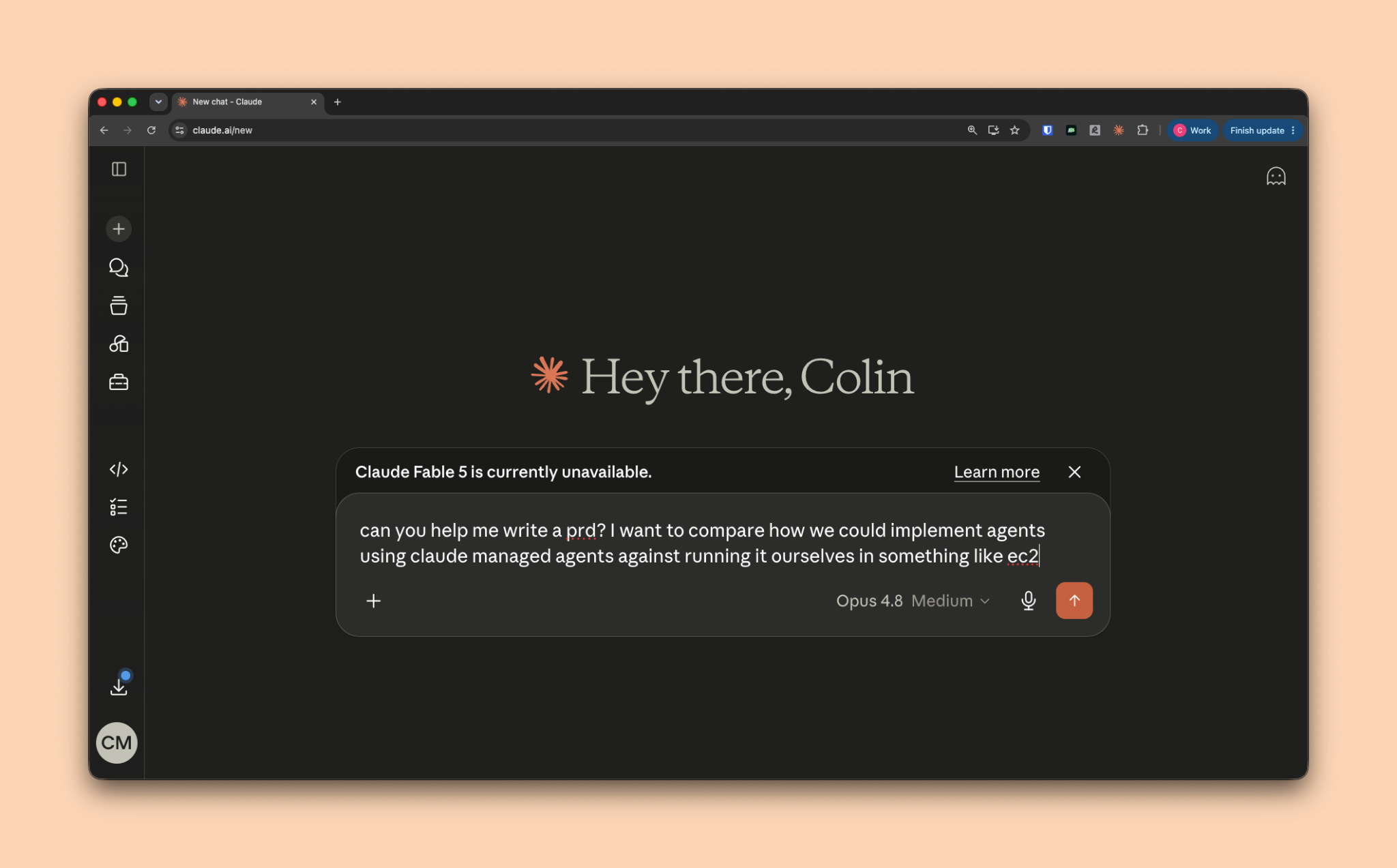
The AI has very little context on your company or what a good PRD looks like. You’ll likely talk back and forth until you get a good enough result, then copy-paste to Google Docs or Word to improve it before sharing with your team.
Next is getting the AI to do work instead of just helping you do the work. Continuing with the last example, you could have Claude generate a financial model that shows the cost of hosting an agent yourself vs. using a managed service like Vercel.
Here’s a prompt I recently used:
Create a model that represents costs if we build and host ourselves vs. using managed agents. Do research on the engineering time saved and the compute costs in self-hosted vs. managed. Look at other vendors, like Cloudflare, Vercel, or E2B that provide sandboxes for agents for pricing. Demonstrate both the cost of the pilot and the cost at scale in the model, assuming we have 5M+ agent instances running annually (where an agent instance is per hour).
And here’s what the resulting model looks like:
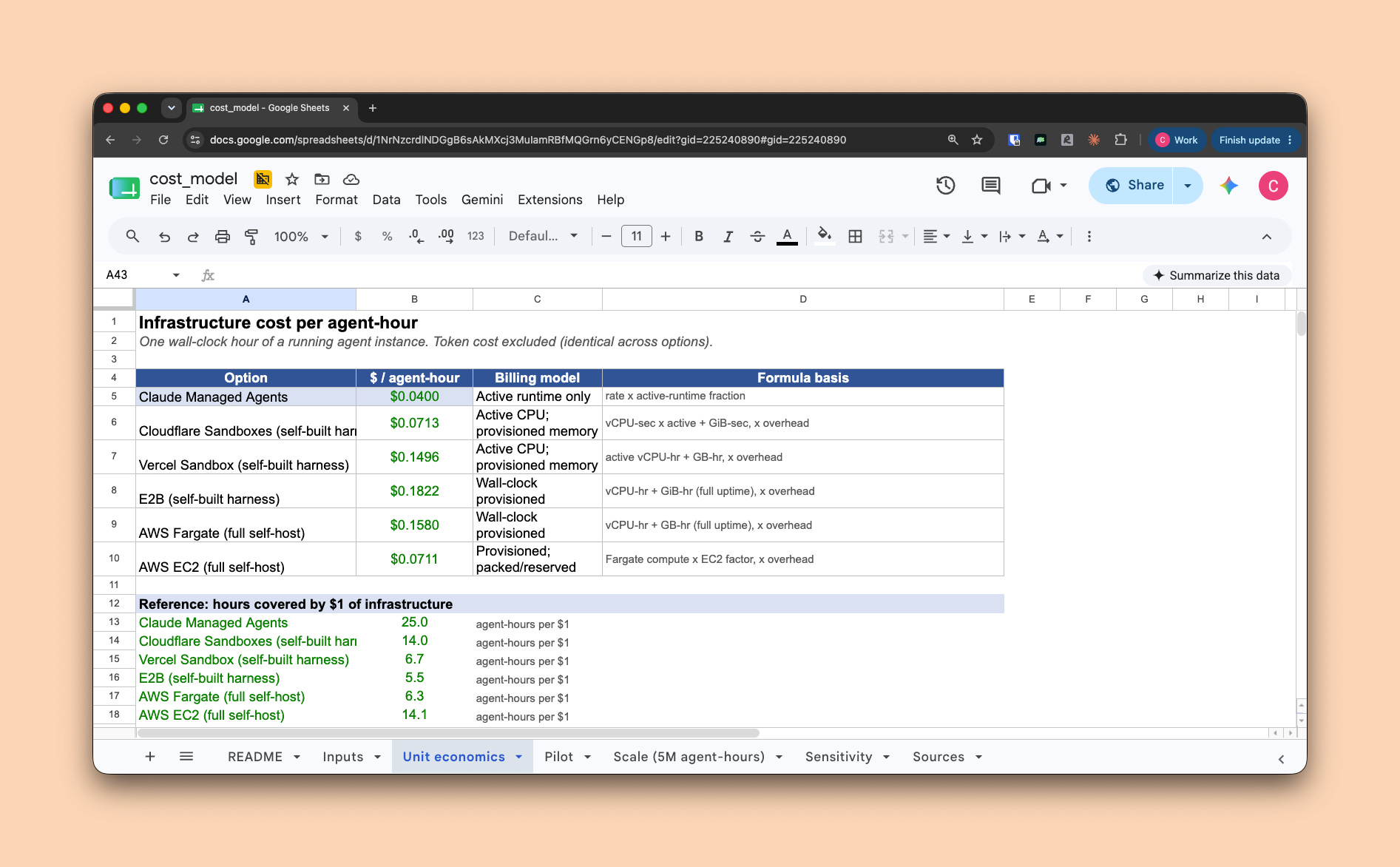
As mentioned, you should expect the output to need significant revision at this rung, but it’s a step forward from copy-pasting text from AI into a separate document.
You’re at the highest rung of personal leverage if you are able to delegate complete to-do items to AI. To illustrate this, I’ll use a fictional product called Stride. Stride is a Strava clone, where athletes can share their performance for running, swimming, and other activities. Let’s say I wanted to do a retention analysis of users who share their exercises with an attached photo, and compare that against the cohort who don’t share photos. To complete this task, I’ll connect my LLM of choice (Claude) to my product analytics software (PostHog) and give it instructions to run this analysis for me. This was my prompt:
Use PostHog to check if users who use social share features have a higher 30d retention than those who don’t. Show me an html doc as a final output visualizing cohorts and any other useful data. Cite all your sources so I can validate.
And here’s the result:
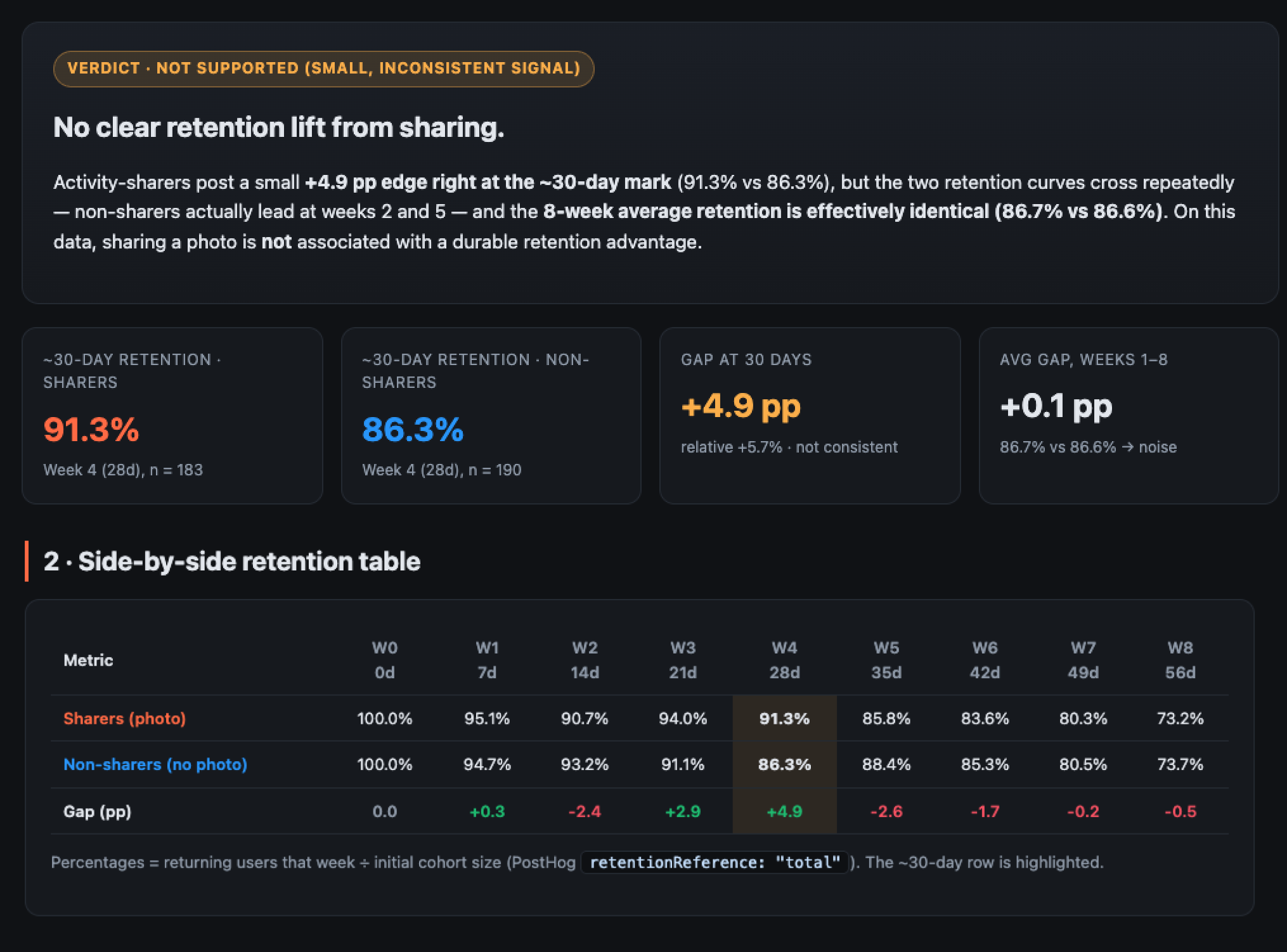
In the past, this would have been a task you’d fit in between meetings. Instead, you’re handing it off to an LLM to complete end-to-end. I’d recommend including “cite your sources” so you can easily validate if the output is correct. In this case, Claude provides links directly to the source data in PostHog.
Pro tip: To allow models to complete tasks for you (and thus move to this rung in your personal work), you’ll need to connect your LLM to the products you use frequently via MCP. Claude Code, Codex, and Cursor can all connect to tools like Figma, Amplitude, PostHog, Pendo, and more via MCP. This may sound complicated, but it’s really easy to do, and once you create this connection, you’ll never have to touch it again. Simply navigate to your product’s connectors marketplace and add your tools (Claude, ChatGPT, Gemini).
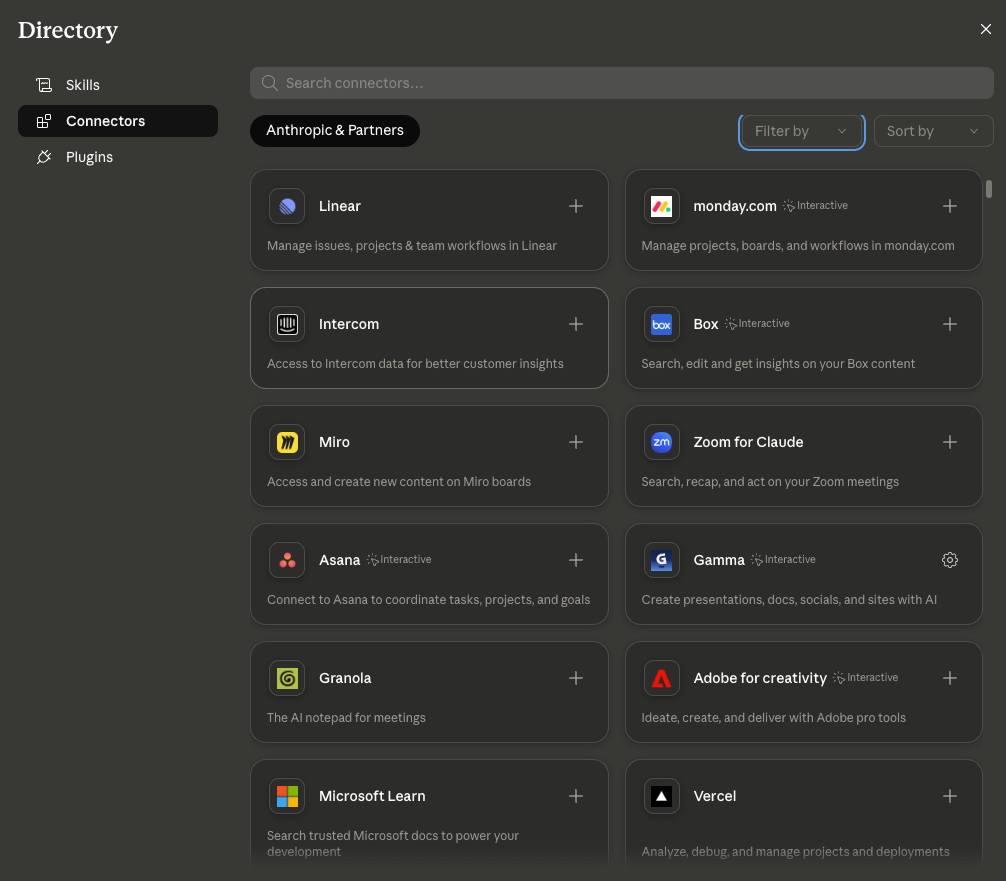
Once you have your connectors set up, try completing a common task using your AI, like:
Analyzing how a launch went by reviewing recent customer tickets and online sentiment
Checking how many users actually use a feature through product analytics events
Summarizing a recording from a customer call and creating a prototype based on their feedback
Updating your next sprint based on a change in roadmap priorities
You’ll likely find the results disappointing at first, but that’s just because the model doesn’t know how to meet your standards yet. Continue iterating with the model until you have a good result, then lock in the workflow by creating a skill—just ask your LLM to create one in the same chat you completed the task in.
You can repeat this workflow to get reasonable first drafts for almost anything: PRDs, roadmaps, marketing assets, survey analysis, prototypes, Figma mocks, and more. I totally acknowledge that the quality may not be perfect, but we’ll come back to that when we talk about systems leverage.
The product leverage ladder
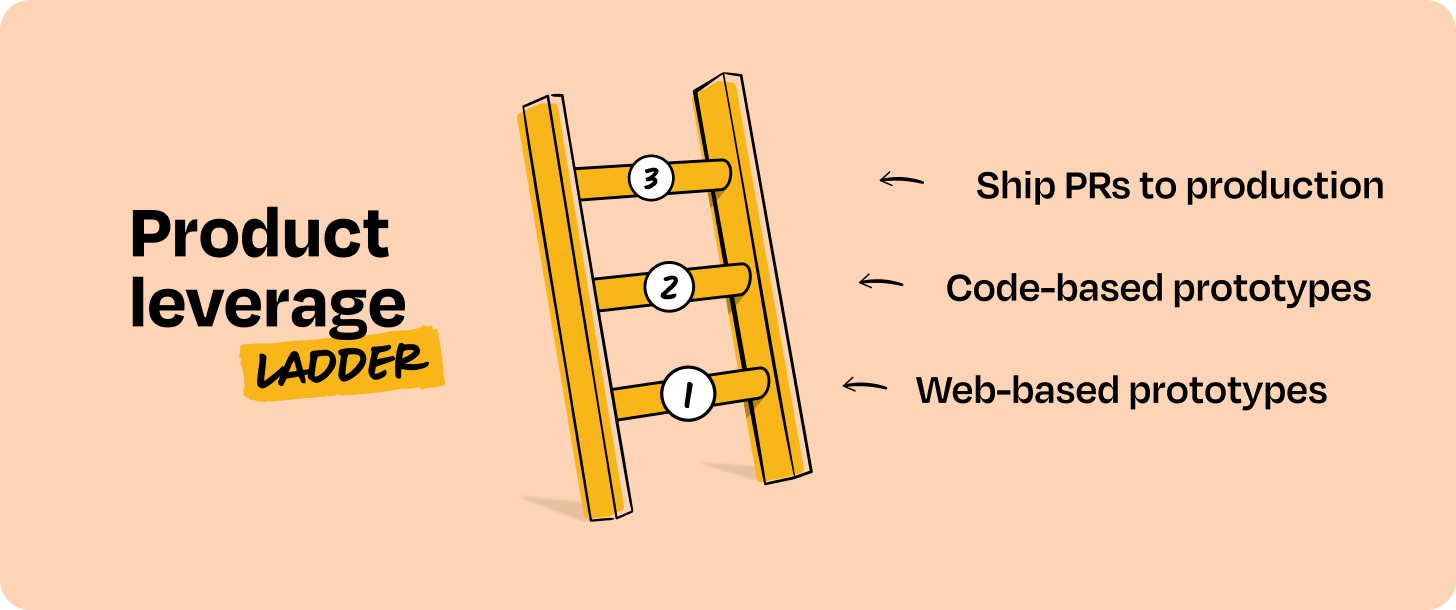
Product leverage closes the gap between what you want to build and what you can ship, even without strong design or engineering chops. The way to leverage AI for this ladder breaks down into three rungs:
Rung 1: You create web-based prototypes. These communicate your ideas better than docs, but the prototype itself doesn’t have any value beyond communication. And your prototype’s code is independent from your product—it doesn’t use your existing codebase.
Rung 2: You create code-based prototypes. Claude Code or Codex accesses your real codebase as the context for generating prototypes, instead of screenshots or complex prompts.
Rung 3: You get an agent to ship changes to production as pull requests. An engineer picks up the PR, reviews, and merges your code into the product.
Let’s spend a bit more time with each of these.
Using AI tools like Lovable, Replit, and Magic Patterns is an amazing way to quickly and easily create a prototype. You can use this to share a concept or design with stakeholders, customers, or internal team members, allowing you to validate whether your solution is usable and solves the customer problem faster than ever.
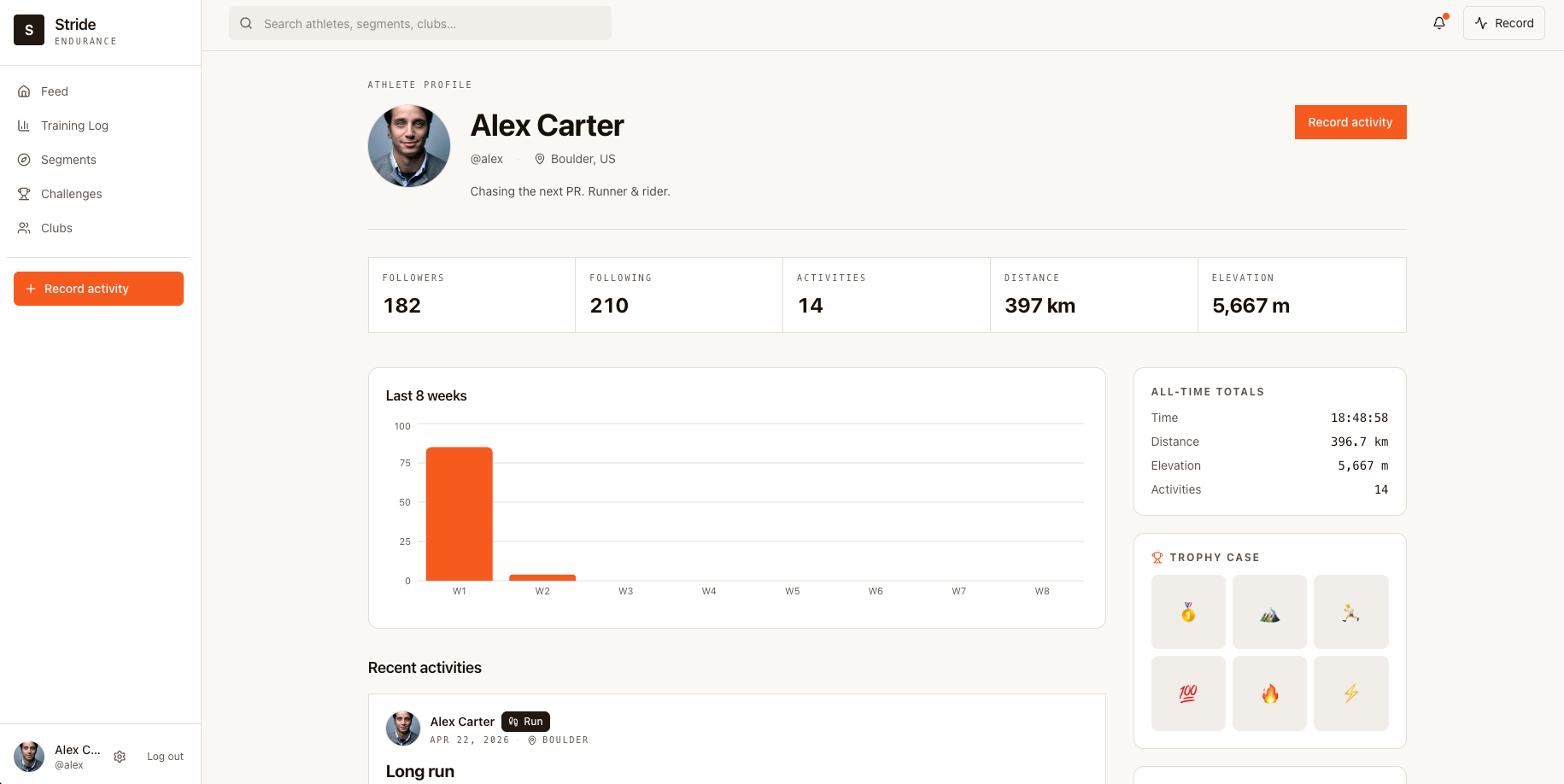
Let’s revisit Stride as an example. Here’s what the profile page currently looks like:
Customers have been complaining that they don’t have clear cancellation paths and are confused about their subscription status after a free trial. You can use AI prototyping to create a quick mock to test with customers and stakeholders if one or more of your solutions address this problem:
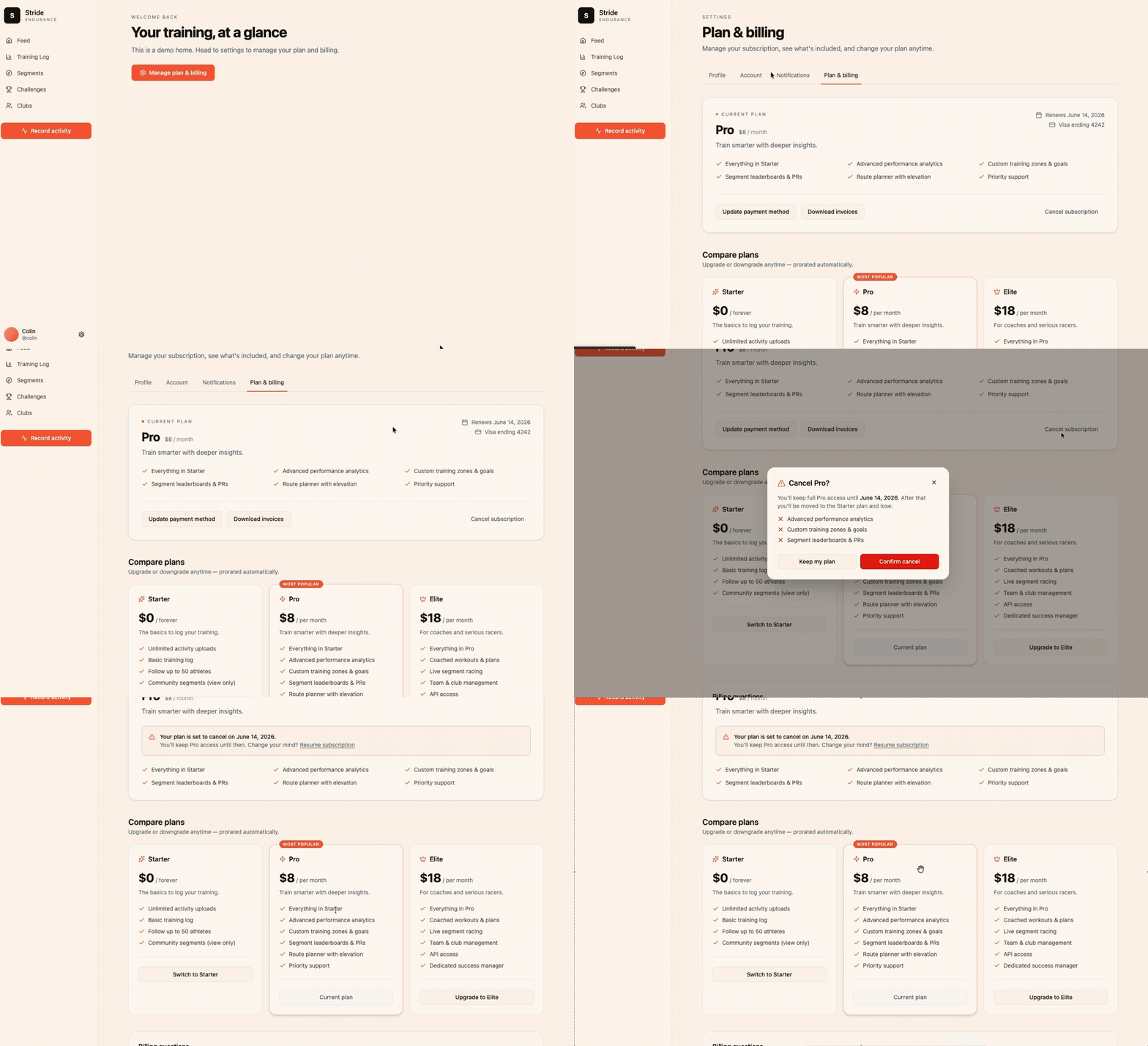
This helps get to the right solution by testing more concepts faster, but typically the underlying code doesn’t have any value. Web AI prototyping tools have limited context on our real components, pages, and data models, so this prototype is removed from reality. That means that it will take more work to translate the tested prototype to real code.
The next rung up is to ask AI to prototype with your real product. This does not require running the full product on your laptop—or an expert-level coding ability—but you will need some technical skills. First, use a product like Claude Code or Codex to write code and run your app. Second, you’ll need a codebase that contains your UI but not your full backend; more on that later.
You can create the same prototype, this time asking Claude Code or Codex to use your existing codebase:
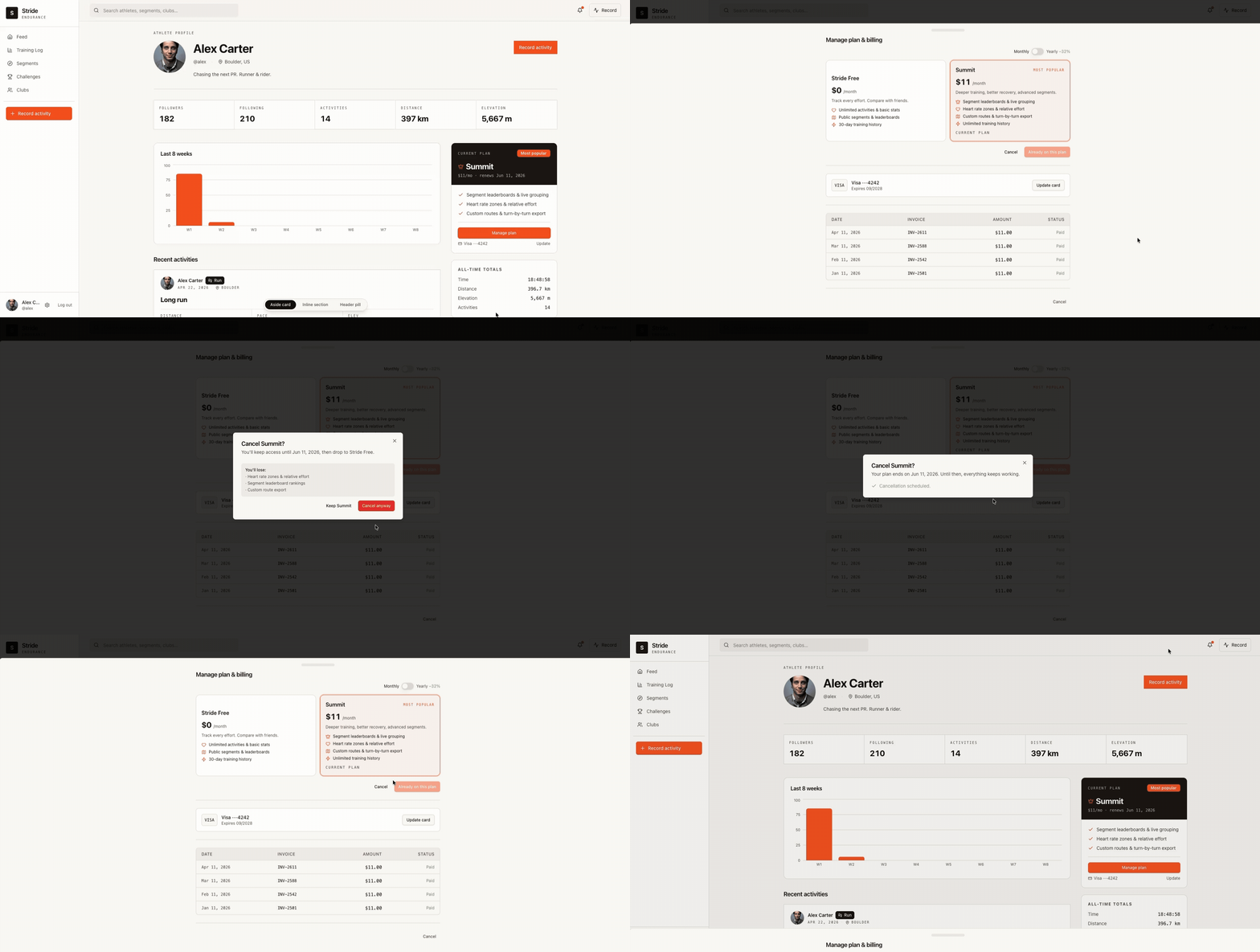
This time, the cancellation flow is added to the existing settings page, uses real components, and follows the design patterns of the actual product.
To create a codebase or repo that’s easy to use and doesn’t require running the full backend, pair with an engineer and have them use a prompt like this on your main codebase:
Create a new repo that contains all of the base UI elements, styles, routes, pages, and components for [list parts of the product you want included]. Create a mock data store that mimics the API data model and is stored locally. I should be able to run the resulting repo without any environment variables or backend services.
Once complete, clone the new repo to your computer. You should have an easy-to-run version of your UI that you can’t accidentally mess up. Sometimes your engineer will tell you this process is more complicated to get running than a simple prompt. It is very much worth the effort to build prototypes on your real styles and components, so do your best to get over the hump!
The last rung in product leverage is getting an agent to ship code to production. This is a great example of where your technical judgment as a PM is critical. It’s possible that your billing change is only in the UI, and all backend APIs, data elements, and events already exist. It’s also possible that this would require new infrastructure or integrations with another team to ship.
As a PM, it does not make sense to spend time being a worse engineer than the rest of your team. Knowing when you should write a doc, ship a prototype, or create a PR is as important as the technical ability to complete these tasks. PRs are great for copy changes, small UI/UX tweaks, and changes to views that use existing backend code.
The systems leverage ladder