


“I haven’t written a single line of front-end code in 3 months”: How Notion’s design team uses Claude Code to design

Brought to you by:
Brian Lovin, a product designer at Notion, built a shared AI-powered “prototype playground” that lets the entire design team turn Figma designs into working code using Claude Code. Instead of staying in static mockups, the team prototypes directly in a shared Next.js environment connected to real AI models—so they can test ideas in the browser, catch edge cases early, and design for what’s actually possible. In this episode, Brian breaks down how the system works, how he uses plan mode, slash commands, and custom Claude Skills to automate repetitive tasks, and why his core rule for working with AI is simple: when Claude asks you to do something, teach it to do that thing itself.
Detailed workflow walkthroughs from this episode:
• How Notion Designs with AI: Brian Lovin’s Prototype Playground and Claude Code Workflows: https://www.chatprd.ai/how-i-ai/how-notion-designs-with-ai-brian-lovins-prototype-playground-and-claude-code-workflows
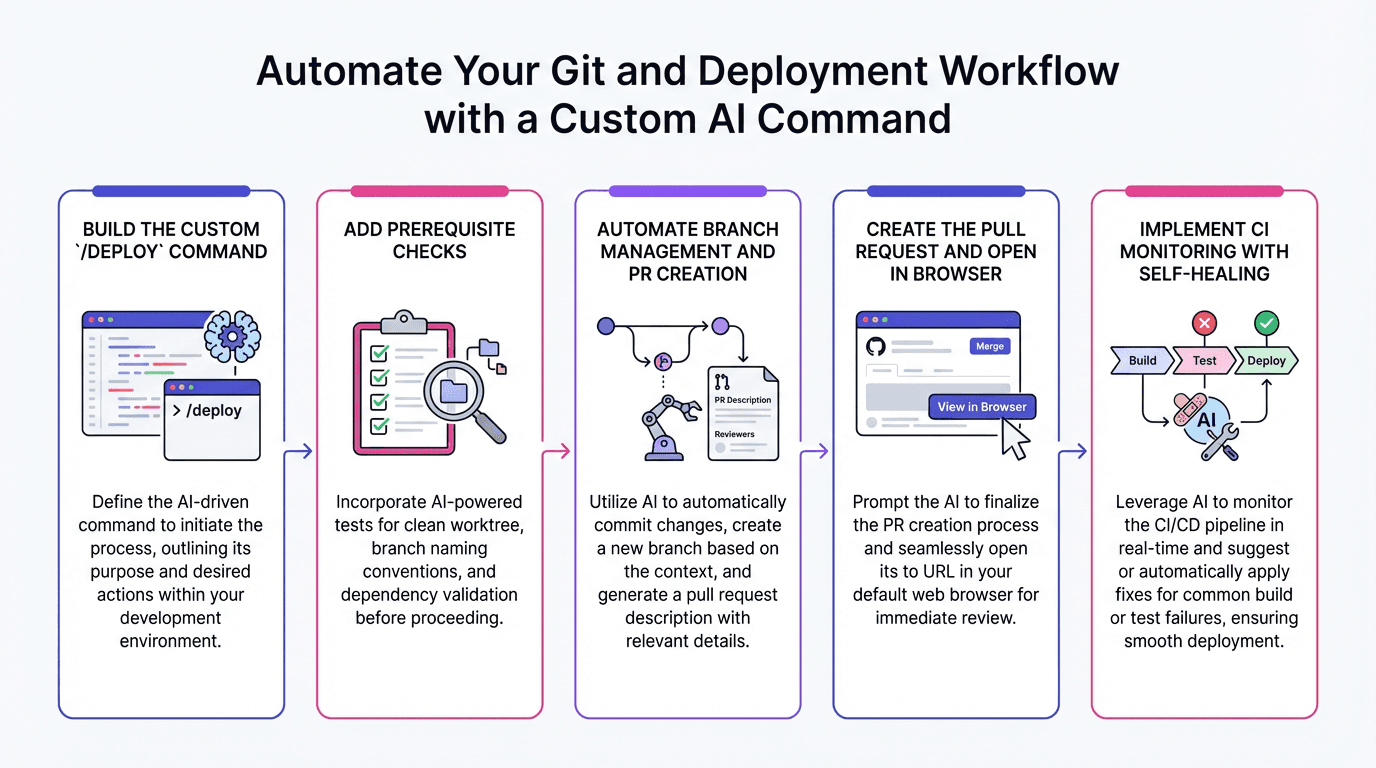
• Automate Your Git and Deployment Workflow with a Custom AI Command: https://www.chatprd.ai/how-i-ai/workflows/automate-your-git-and-deployment-workflow-with-a-custom-ai-command
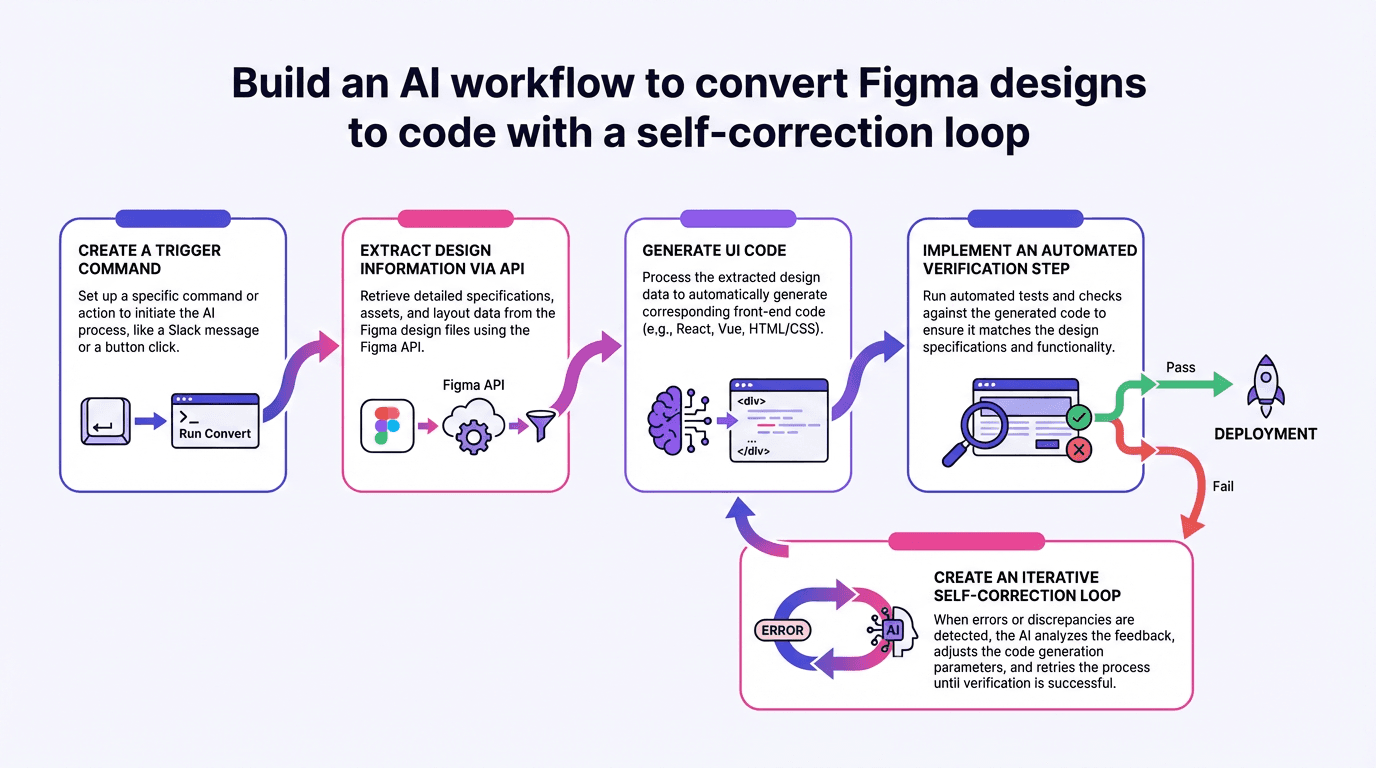
• Build an AI Workflow to Convert Figma Designs to Code with a Self-Correction Loop: https://www.chatprd.ai/how-i-ai/workflows/build-an-ai-workflow-to-convert-figma-designs-to-code-with-a-self-correction-loop
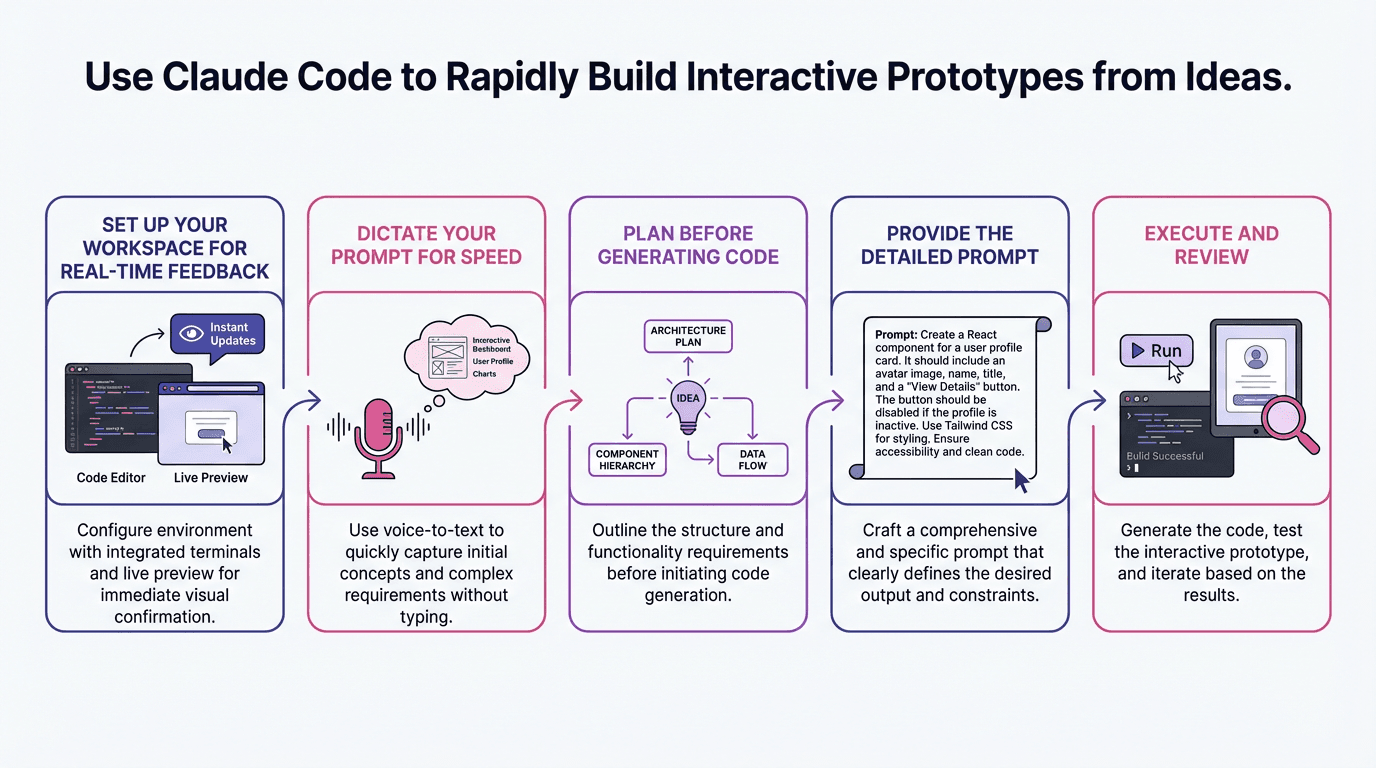
• Use Claude Code to Rapidly Build Interactive Prototypes from Ideas: https://www.chatprd.ai/how-i-ai/workflows/use-claude-code-to-rapidly-build-interactive-prototypes-from-ideas
Biggest takeaways:
Designs are shifting to code-first prototyping. While Brian still spends 60% to 70% of his time in Figma, he believes designers increasingly need to understand what AI models can actually do. This requires working with real models in code to “design something that’s plausible and possible.”
Encounter reality as early as possible in the design process. Brian’s philosophy is to move designs from “napkin sketches” toward production code as quickly as possible. When you try designs in a browser instead of Figma, you immediately notice problems with loading states, screen sizes, and interactions that static designs hide.
The “prototype playground” is a shared Next.js app that centralizes all design prototypes. Instead of designers working in isolated repositories with different setups, this shared environment makes it easy to discover what others are working on and reuse code. The repository organizes prototypes by designer name and provides shared components for Notion-style UI elements.
Brian found it impossible to design good AI experiences in Figma: “You can design what the chat input looks like ... but what you can’t design in Figma is what it actually will feel like to use that thing.” Code prototypes connected to real AI models are essential for understanding edge cases and failure modes.
When Claude asks you to do something, teach it to do that thing itself. Brian’s most important rule for working with AI is to avoid manual intervention. For example, instead of manually checking if a prototype works in the browser, teach Claude to launch Chrome, test the functionality, and verify the results.
Claude Skills can solve specific recurring problems. When AI consistently hallucinated icon names (using “search” instead of “magnifying glass”), Brian created a skill that programmatically searches for icons and their synonyms across thousands of files. This demonstrates how AI can be taught to overcome its own limitations.
Custom slash commands dramatically simplify complex workflows. Brian created commands like “/figma” that handle everything from checking if MCPs are installed to extracting designs, implementing them as code, and verifying the results through multiple iterations. This makes advanced AI techniques accessible to less-technical team members.
▶️ Listen now on YouTube | Spotify | Apple Podcasts
If you’re enjoying these episodes, reply and let me know what you’d love to learn more about: AI workflows, hiring, growth, product strategy—anything.
Catch you next week,
Lenny
P.S. Want every new episode delivered the moment it drops? Hit “Follow” on your favorite podcast app.