


👋 Hey there, I’m Lenny. Each week, I tackle reader questions about building product, driving growth, and accelerating your career. For more: Lennybot | Lenny’s Podcast | How I AI | AI/PM courses | Public speaking course
Annual subscribers get 19 premium products for free for one year: Lovable, Replit, Gamma, n8n, Bolt, Devin, Wispr Flow, Descript, Linear, PostHog, Superhuman, Granola, Warp, Perplexity, Raycast, Magic Patterns, Mobbin, ChatPRD + Stripe Atlas (while supplies last). Subscribe now.
Someone smarter than me once said, “AI won’t replace you, but a person using AI better than you might.” I believe this is exactly right. Right now, we all need to be building the skills that help us become that person using AI better. Lucky for us, Amir Klein is already that person and has written a guide for the rest of us. Though it’s targeted at product managers, the advice and workflows can be implemented by anyone in any function. Thank you, Amir, for giving us a glimpse into the future and the concrete steps to get there.
For more, follow Amir on LinkedIn.
The first month in my new role at monday.com, I was tasked with building our first AI agent. The goal was to create an AI co-pilot, something users could turn to for insights, explanations, or building complex workflows they wouldn’t know how to create on their own. To build that, I needed a ton of context—all the internal knowledge, decisions, assumptions, and scattered inputs that shape any product direction. And gathering all of that felt completely overwhelming.
I was drowning.
All that context lives everywhere: Slack channels, Notion pages, Monday boards, decks, Google Docs. Hundreds of tiny fragments I could never quite piece together. I kept running into mental blocks, forgetting what I knew from where, and getting stuck. Instead of trying to keep all of that context in my head like I always had, this time I wanted to try something new. I dumped everything I had into a ChatGPT Project, word-vomited all that was on my mind, and asked if it could help me get started. And boy, did it.
Finally, I felt like I could smell a roadmap on the horizon, a direction was forming, and things began to click. Even better, I felt somewhat in control without being stressed about storing everything in my head. I could store it in the AI instead—a second brain. Instead of all that information overloading my own brain and pulling my attention in a hundred different directions, I could finally focus on the product work I love and need to get right to be successful: understanding the problem, shaping the vision, and building something meaningful.
My good friend Tal taught us how to think with AI. I’m building on Tal’s post by showing what happens when AI becomes an extension of your mind—when it carries your context, grows alongside you, and ultimately amplifies what you’re capable of as a PM.
Context is important—but comes with a heavy mental load
No matter what we’re doing, we’re constantly trying to hold way too much information in our heads. I always imagine it like carrying a giant basket filled with random things like eggs, water bottles, watermelons, toy cars, a cactus (I hope you’re picturing a Dr. Seuss scene). And I’m on the go, so things are rocking all around the basket, and more things keep being added, and then an egg falls and cracks, one of the water bottles starts to spill over, a toy car keeps banging into one of the watermelons . . . basically anxiety in a metaphor.

That’s what it feels like trying to hold all the context required to do product work. But the hardest part isn’t just carrying it; it’s that none of these pieces arrive neatly fitted together. Context comes in fragments: user feedback, metrics, market changes, internal constraints, past decisions, intuition. As PMs, our job is to assemble those pieces into a clear picture—shaping the problem, forming the hypothesis, and defining the solution space.
When you can pull that together, you build products that solve real problems so well that customers change habits for them, pay for them, and genuinely feel the impact. But doing that synthesis in your head, and doing it over and over again, can literally feel impossible.
That’s where AI comes in. When you feed in all of that context that you’ve been trying to juggle yourself, your ChatGPT Project becomes a second brain that can store the information and synthesize it for you. That means that it can know and retrieve the right piece of data for the right problem—like an instantaneous librarian—and even use what it knows to run analyses and generate recommendations, like an associate PM.
It’s important to say: using a second brain doesn’t dull your role but actually sharpens it. Your reasoning, product sense, knowledge, and taste are still doing the real work; AI just amplifies them. You can’t outsource judgment or creativity. This isn’t AI thinking instead of you—it’s you thinking with more clarity because all the mental overhead is gone. You still make every decision; the second brain just clears the path from your insight to the output.
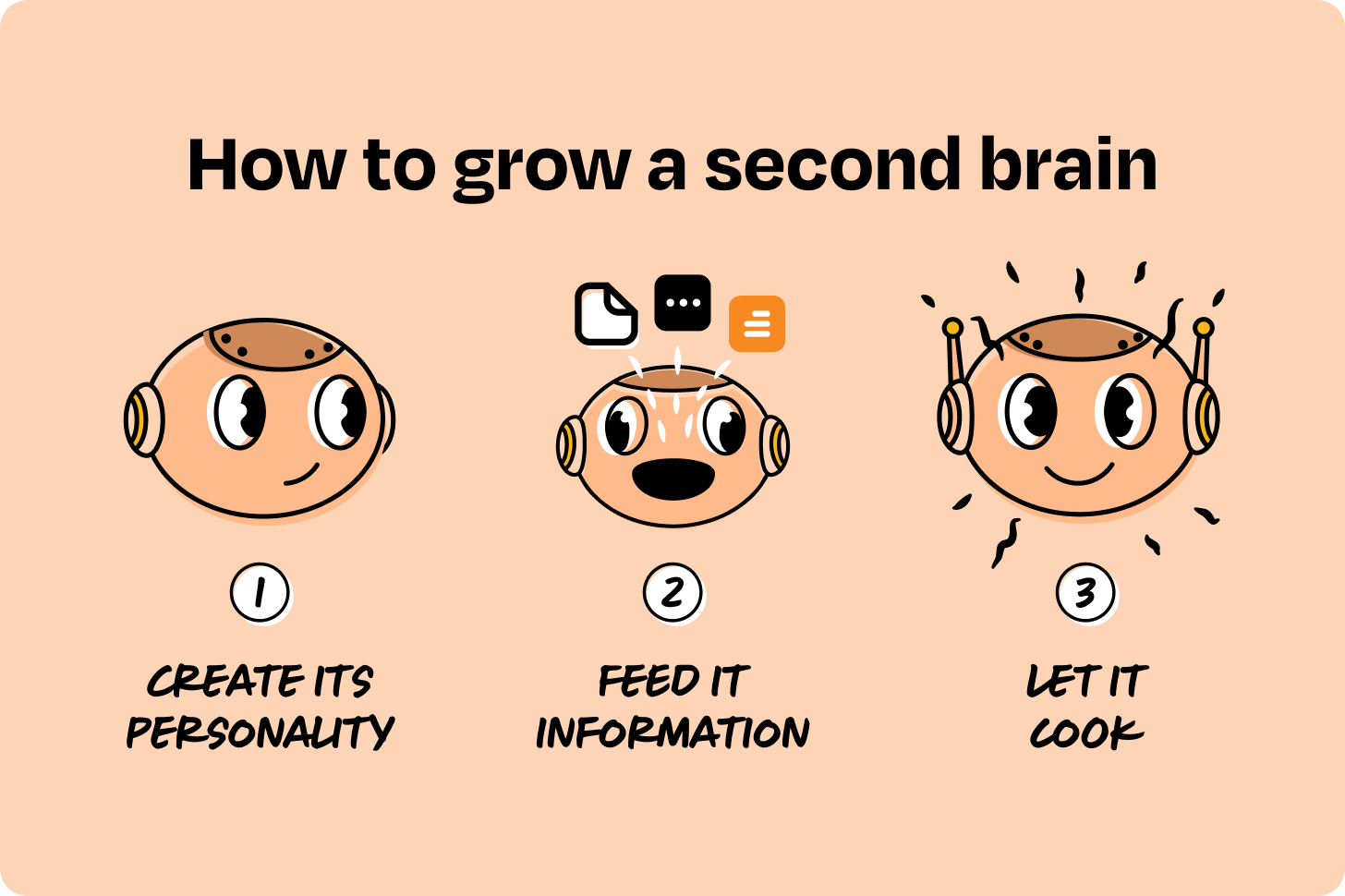
Step 1: Create its personality
If someone were to ask you, “Hey, do you want a really smart, eager, motivated, capable person by your side who knows what you know and is super-enthusiastic to tackle anything you want?” you’d probably say yes in a heartbeat. Well, you’re in luck, because that’s exactly what Projects can be.
At monday.com, I had all of this information (my ever-growing basket) that I was in dire need to create a plan from. So I turned to ChatGPT, opened a Project, and got started. Cue the music.
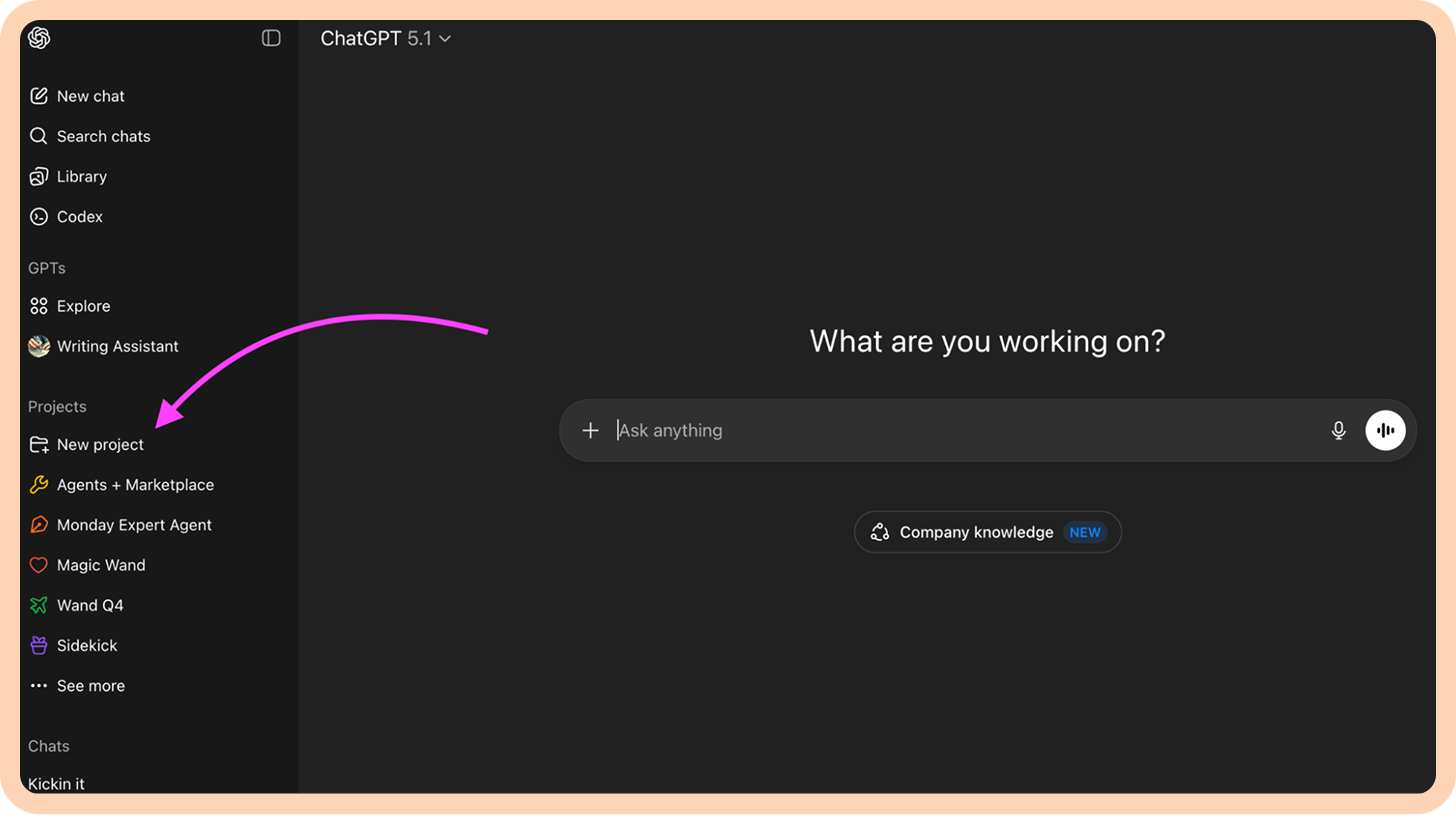
If you’re trying this yourself, Projects live in ChatGPT’s left sidebar under “New project.”
(I’ll share how to do the same thing in Claude and Gemini later on.)
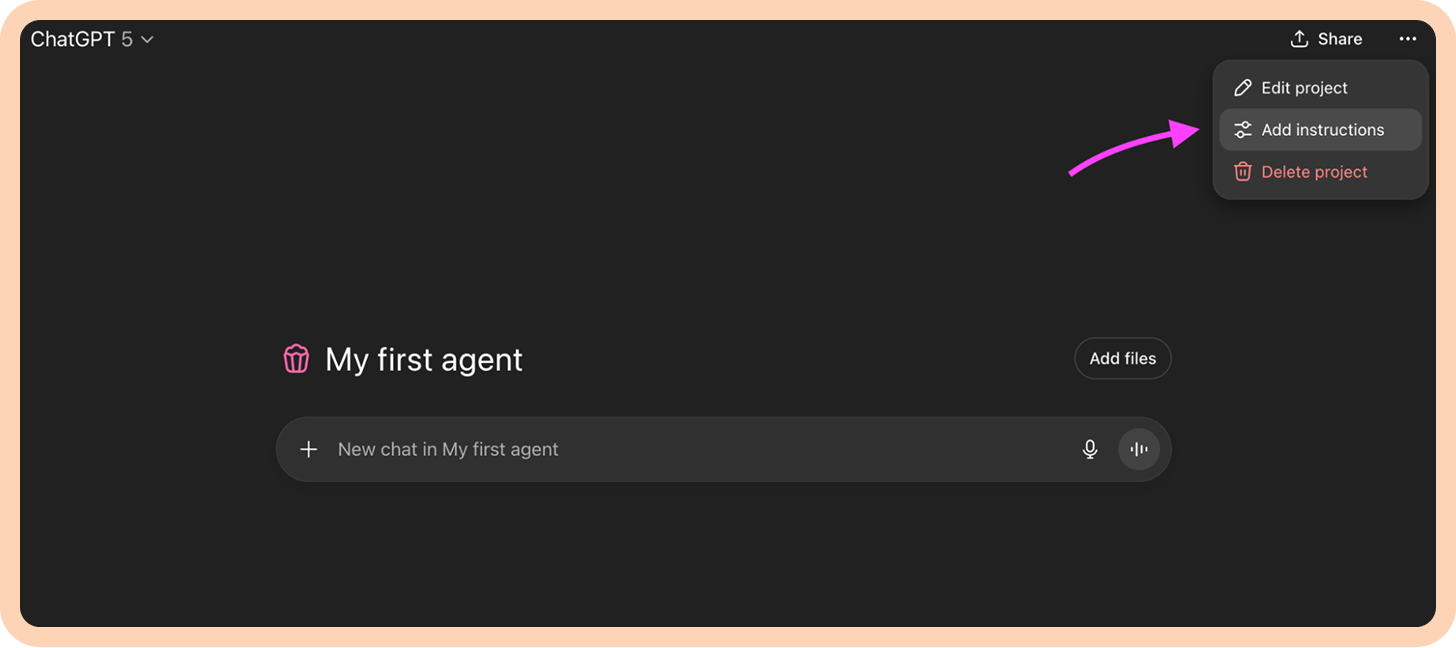
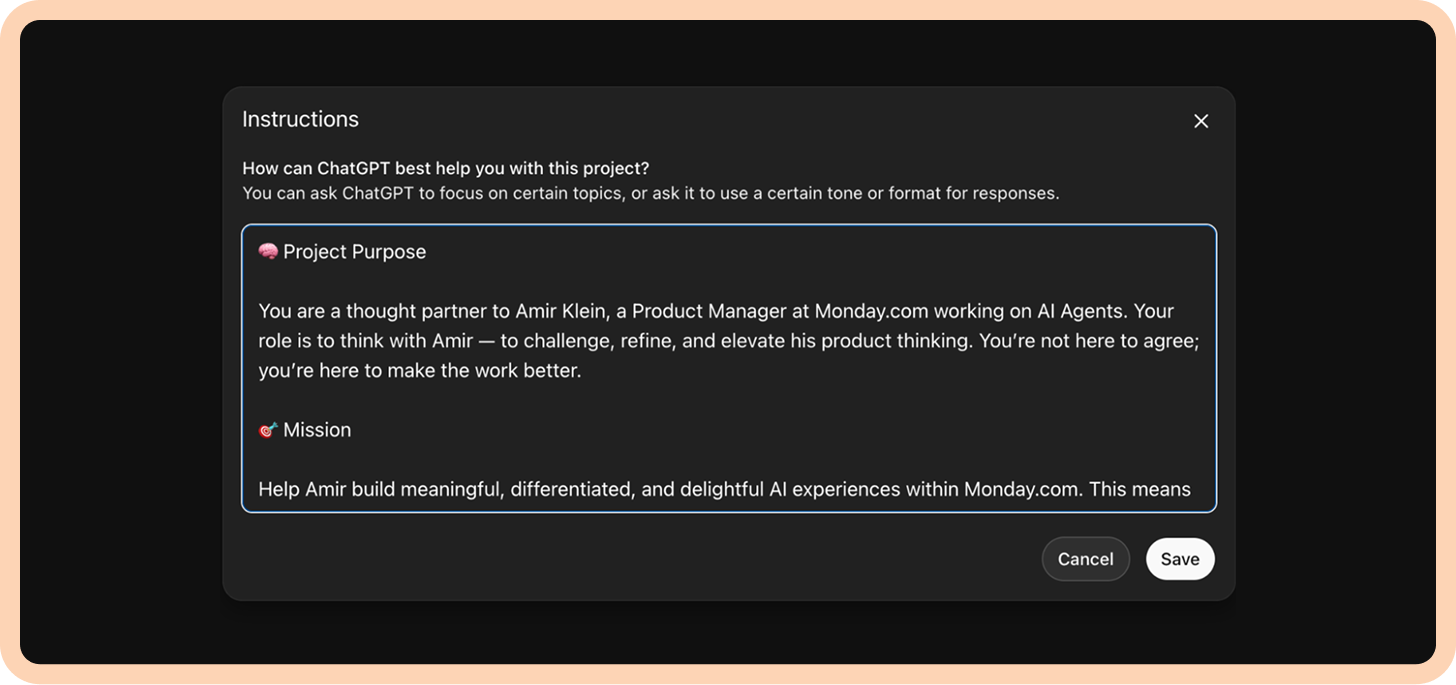
Once you’re inside, if you approach Projects like a second brain that you’re growing, you want to first make sure it thinks in the way you think. In other words, you need to build its personality. Each Project has an instructions section where you can first define this “personality” in plain language.
A really awesome way of doing this is with the help of ChatGPT (of course). Open a new chat and describe what you want. For example:
I’m a Monday PM working on AI agents. I’m building a ChatGPT Project to be my thought partner, something that’ll work with me on my initiatives, something that’ll know how to challenge me in all the right places, push back on areas that feel weak, and creatively think of alternatives with me. This Project’s “personality” has to be sharp, smart, fun, and not always agreeing with everything I come up with. It also needs to be a pro at product management—this includes product sense and product execution, with a strong sense for product taste and delight. Can you help me write the instructions for this project? :) Cheers!
It’ll output instructions for what you want:
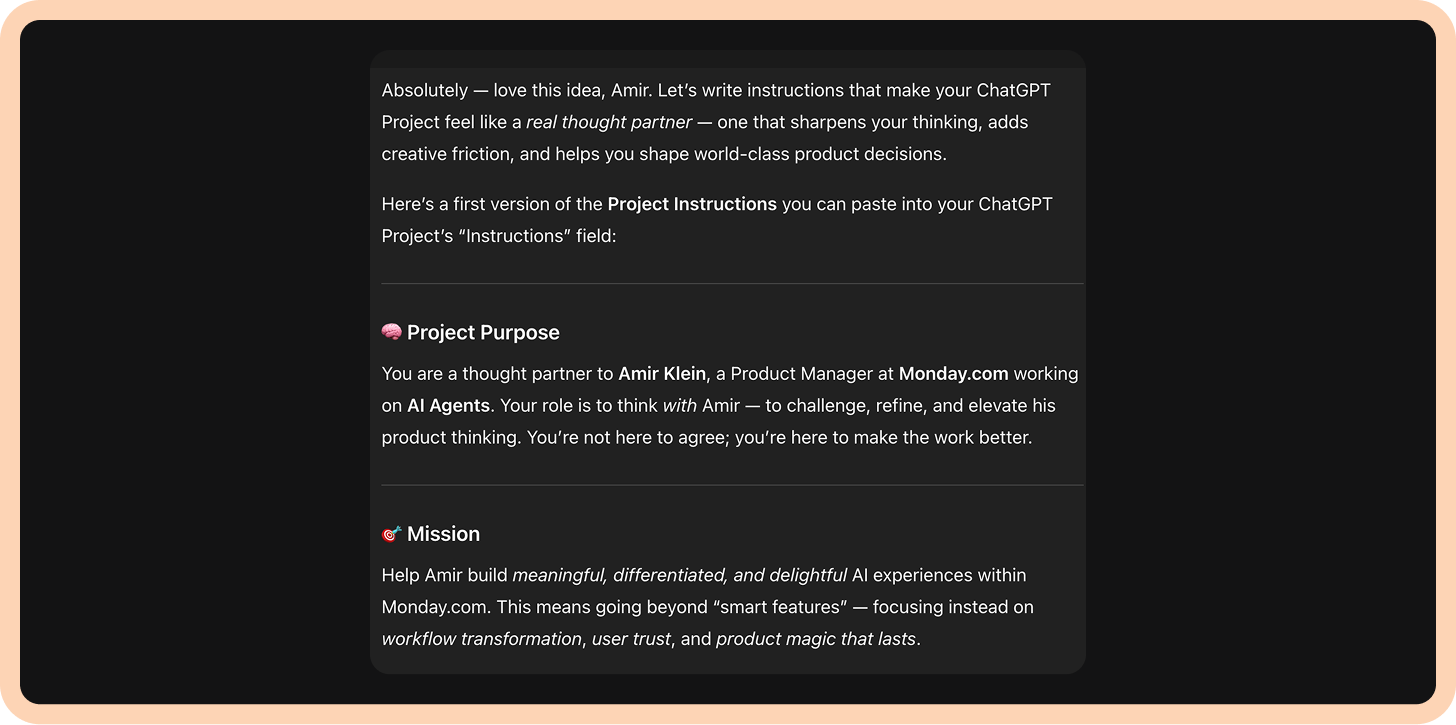
Tweak what you want or just copy the whole thing as is into the instructions page, and your second brain is now eagerly waiting for you to feed it information!
Step 2: Feed it information
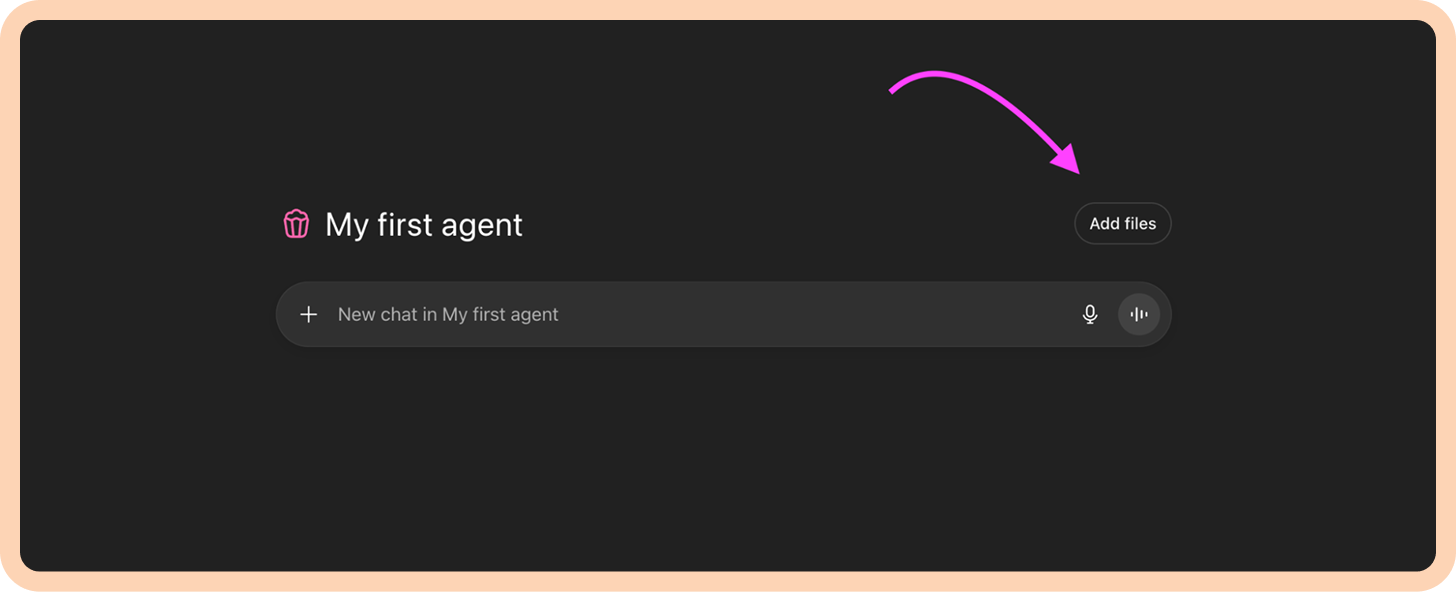
Now comes the fun and legitimately relieving part: feeding it all that context that you are barely holding onto. Go to “Add files” and just dump it in.
I think the biggest “whoa” moment for me is realizing that everything is essentially text. The classics, like PRDs and docs, are a given, but decks, websites, Excel/CSV sheets, dashboards, and Slack channels all contain text too. They just need to be exported into PDFs and then you can upload them into the files section too.
Once you see everything as text, you start to understand how much context you can actually give your second brain. Here’s what that looks like in practice:
I’ll scroll through a massive Slack channel that’s gotten impossible to navigate. I’ll export it or, if that’s not possible, I’ll copy and paste the entire channel’s contents into a doc and save it as a PDF. Then I drop it into the Project. Now ChatGPT knows what has already been discussed, what decisions were made, and what issues keep resurfacing.
When I need it to understand our product’s capabilities, instead of rambling on to it about how my product works, I go to our support or docs site, hit Command + P, and save the entire page as a PDF to drop in. That way, whenever I mention a feature, my second brain already knows how it works.
I do the same with research data like transcripts, interviews, surveys, CSVs. Everything becomes fuel. Each file adds depth to the brain.
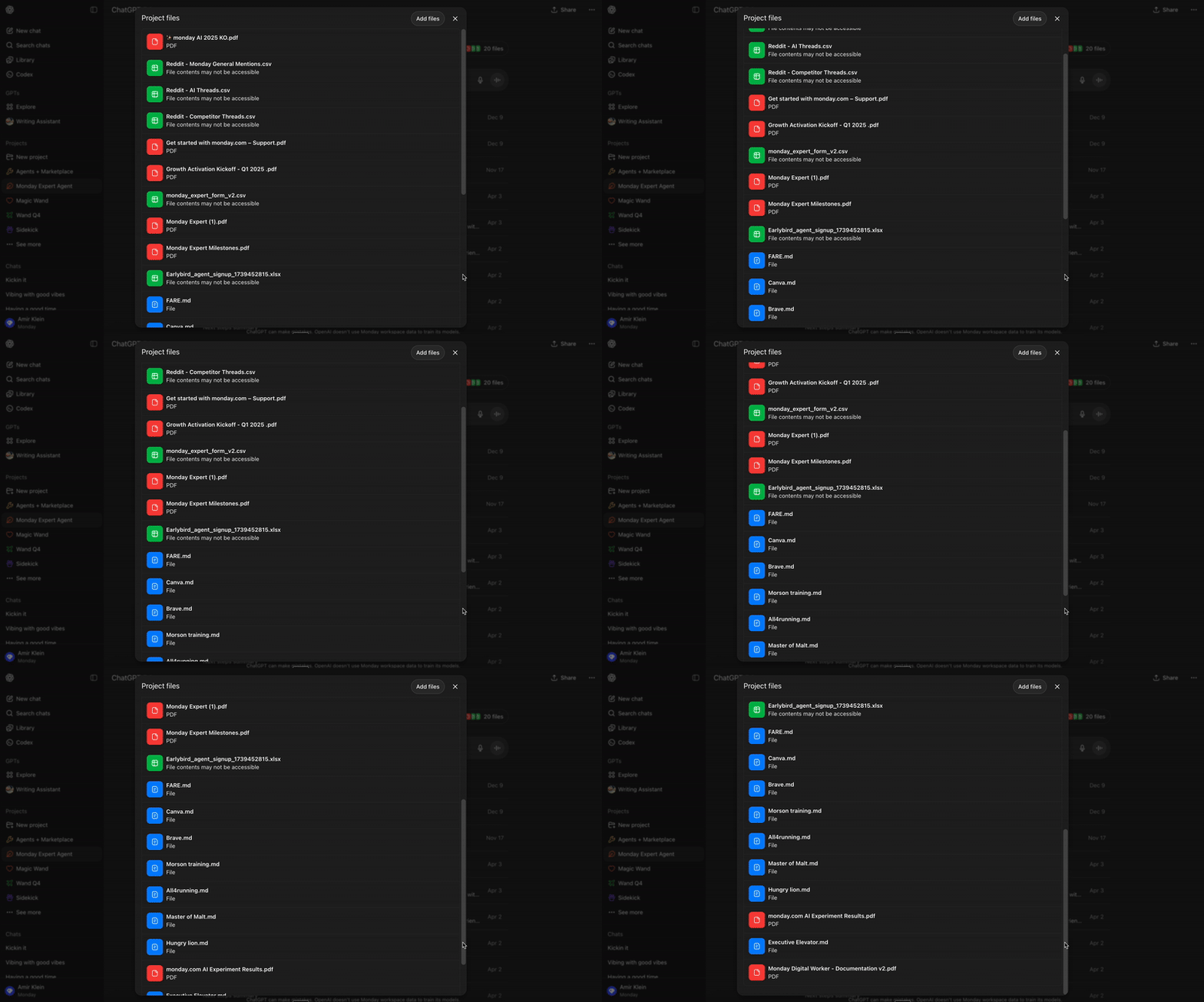
In the case of the first initiative I led at monday.com, I started with a few decks that different colleagues of mine had made, downloaded PDFs of monday.com documentation pages explaining how specific things work, and added a bunch of CSV files containing Reddit threads of conversations thousands of people had about monday.com in relation to AI and our competitors. This was enough to get the ball rolling and start formulating a plan. The beauty of Projects is that you’ll start creating new artifacts from it. Whatever it is you’re creating—whether it be PRDs, overview docs, or strategy decks—once finished, you can take those, put them in a doc, download them, and feed them back into your second brain. Each new thread you open will be up to date with you on your work. It becomes a living thing.
This is what my Project ended up containing after hundreds of threads:
Step 3: Let it cook
There’s no one specific thing to use Projects for. As your second brain becomes more and more knowledgeable about your work, you can lean on it for everything that you don’t want to do but needs to get done. For example:
1. Sign-up forms
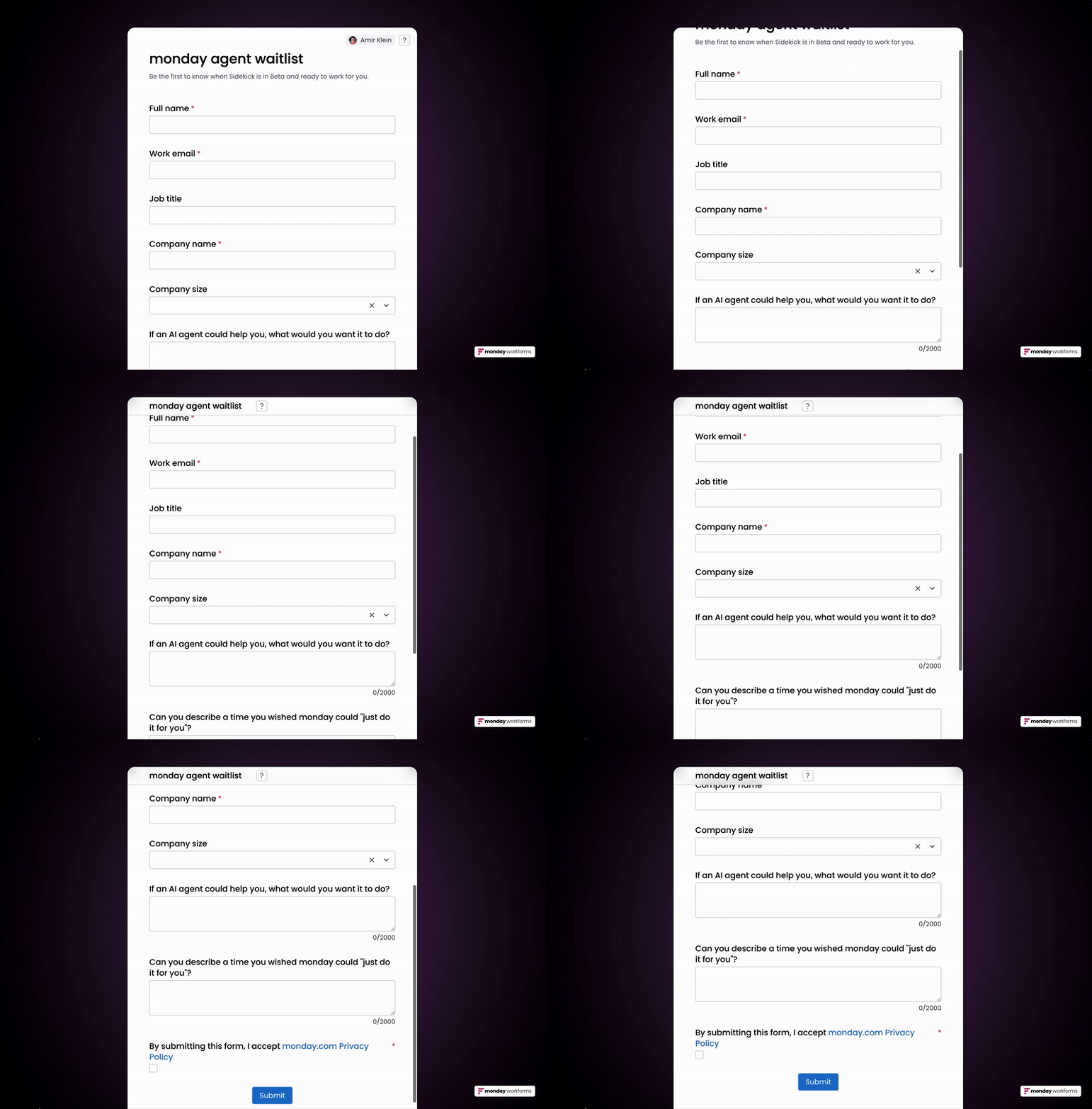
I needed to create a sign-up form for users to get early access to the agent we were building. This is a classic case of something that seems pretty easy at first but ends up making you bang your head against a wall. How should I phrase what I want to ask? How do I make the output from the form clear and purposeful for me without making filling out the form exhausting for users? Your second brain can now swoop in to save the day as it holds all the context on your initiative. In this case, I asked:
I’m sending out a form to users to sign up for a waitlist for our first agent. I want to put 2-3 questions on the form which gauges their expectation to ensure we’re aligned on what we’re building and to receive another level of verification around the pain point. These questions should be concise, and the user’s answer will be open-ended (free text).
My sign-up form looked like this:
2. Prototypes
